
Merchant tier view
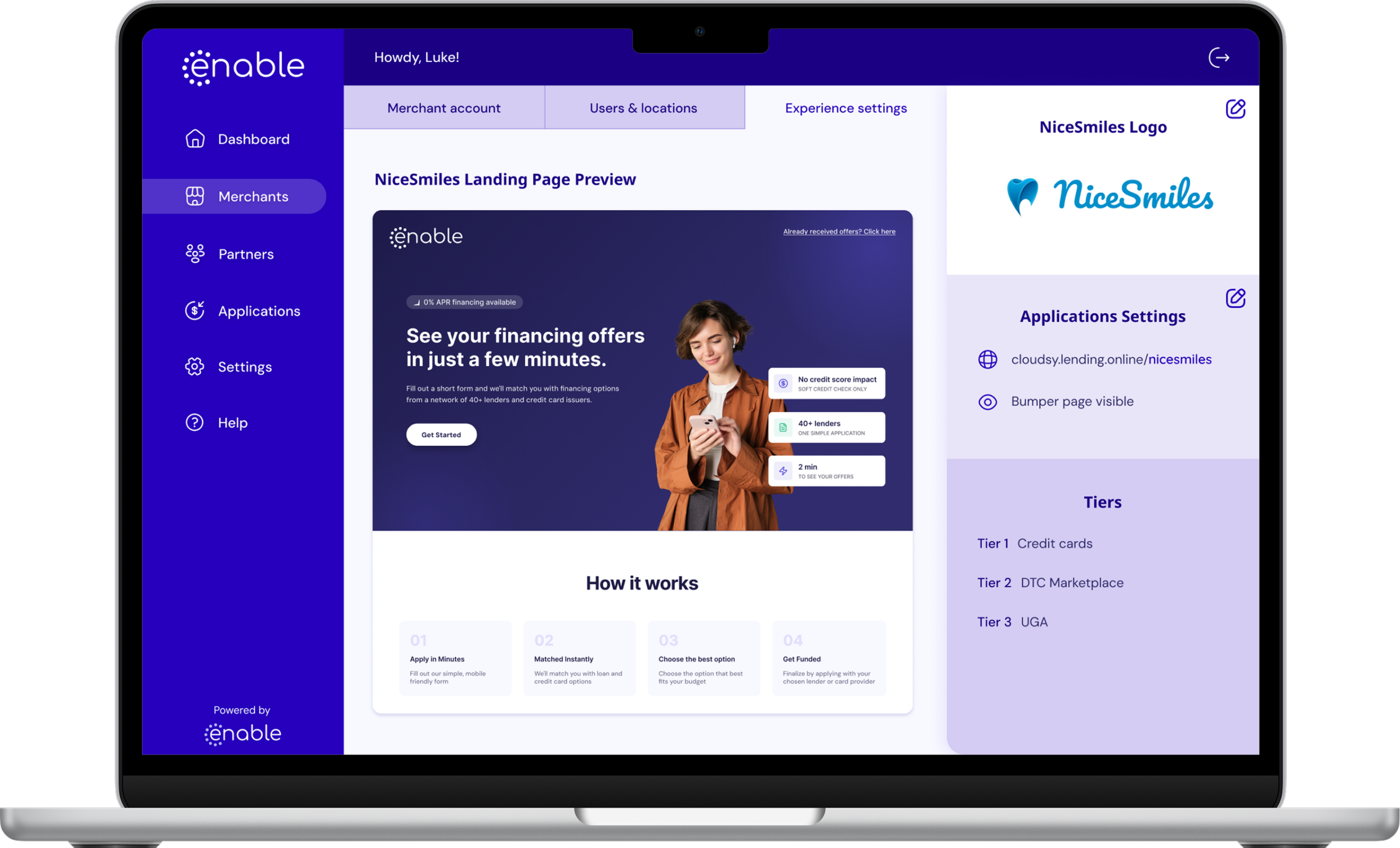
You can now see how each merchant’s financing tiers are set up, in the white-label portal, the partner portal and the merchant’s own view.
- Open a merchant to see their tiers in order, from Tier 1 down.
- Each tier shows the program type (credit card, DTC or DTM), whether credit cards are enabled, and whether the application continues to the next tier when there are no offers.
- Partners see the tiers of their merchants. Merchants see only their own.
Tier waterfall for soft pull merchants
Every merchant you register is now set up automatically, so they can start taking applications right away. Soft pull is on for the full 0-850 credit range.
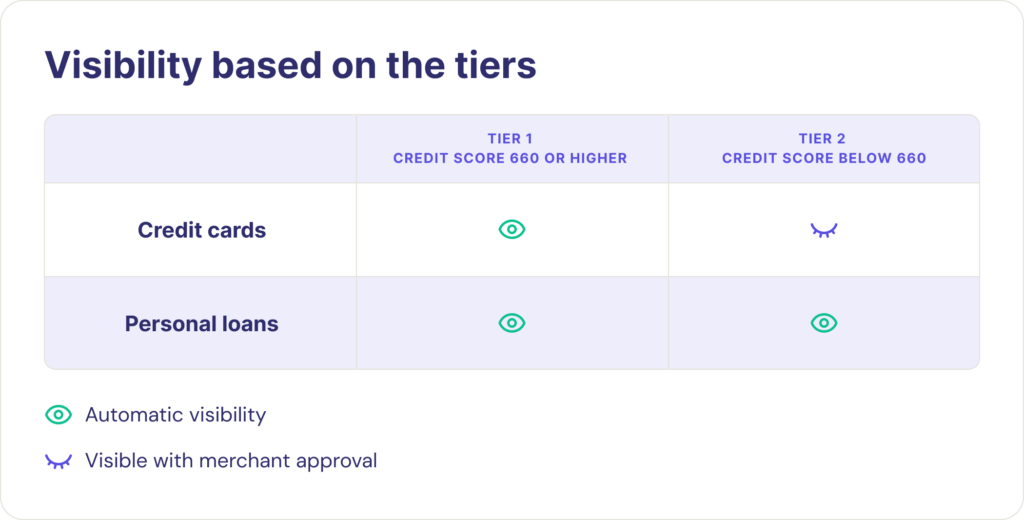
Tier 1 is credit cards and personal loans. Applicants with a 660 credit score or higher see credit card and personal loan offers by default. Applicants below 660 see personal loan options only.
For merchants with soft pull on and the bumper page off, an application now moves through the tiers in order. It stops as soon as there are offers, or when no tier has any.
- The waterfall is set per merchant, so check each merchant’s tier setup before you rely on it.
- Use the tier view to confirm the order and cascade settings.
You don’t need to configure anything for a new merchant. To change a merchant’s tiers or score ranges, submit a change request. You can also book a meeting with us about tiers, and we’ll walk you through the options.
Manual application when identity verification fails
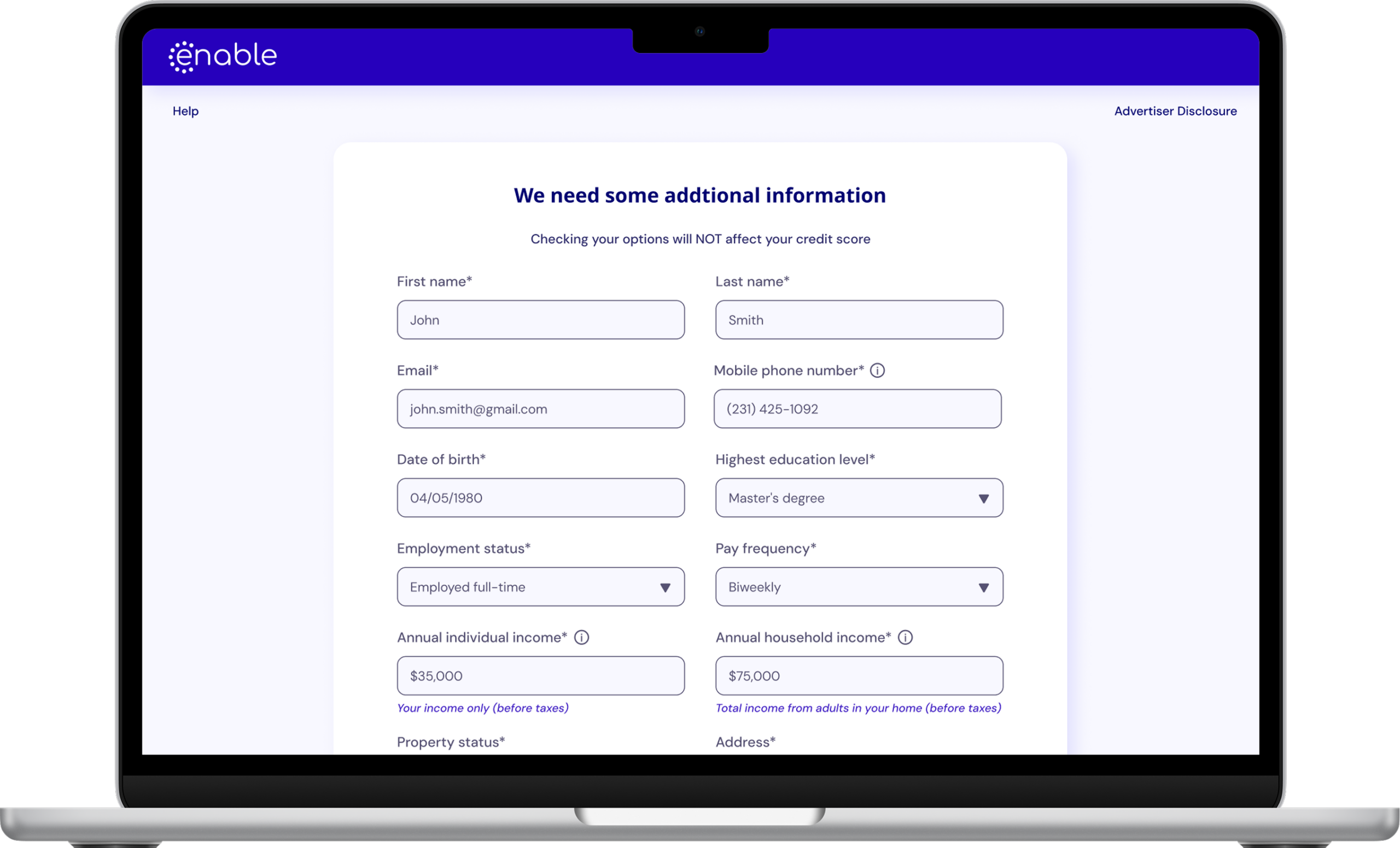
Borrowers who can’t get through verification, including applicants with an ITIN, can now complete a full application by hand.
- A Try another way option appears on the “We just sent you a text” screen and on every “We couldn’t verify your identity” screen.
- The borrower’s existing details are pre-filled. They re-enter their SSN, complete the remaining fields and agree to the terms.
- PO boxes are not accepted as an address. A repeated SSN within 30 days is rejected.
- In the applicant view, these applications show the reason the borrower switched to manual entry and the time they did.
- After submitting, the borrower goes to offers as usual. Merchants with a bumper page go to merchant review instead.

Enable, Inc
25132 Oakhurst Dr Suite 206
Spring, TX 77386
P: +1 (888)-801-1736
E: sales@enablefinancing.com
2023 Enable, Inc. All Rights Reserved. Privacy Policy | Terms